


It works like a magic!
As a trader, I found this tool useful for spotting market trends and making informed decisions. The real-time data and clear chart patterns help identify potential trade opportunities.

INSTANT DOWNLOAD!
Original price: $699.00
Your price: $14.00 98% OFF Retail!
Content: Expert: IS Yellow EA.ex4 (Unlocked-Unlimited), Preset: IS Yellow GBPUSD Pairs.set, NO MANUAL.
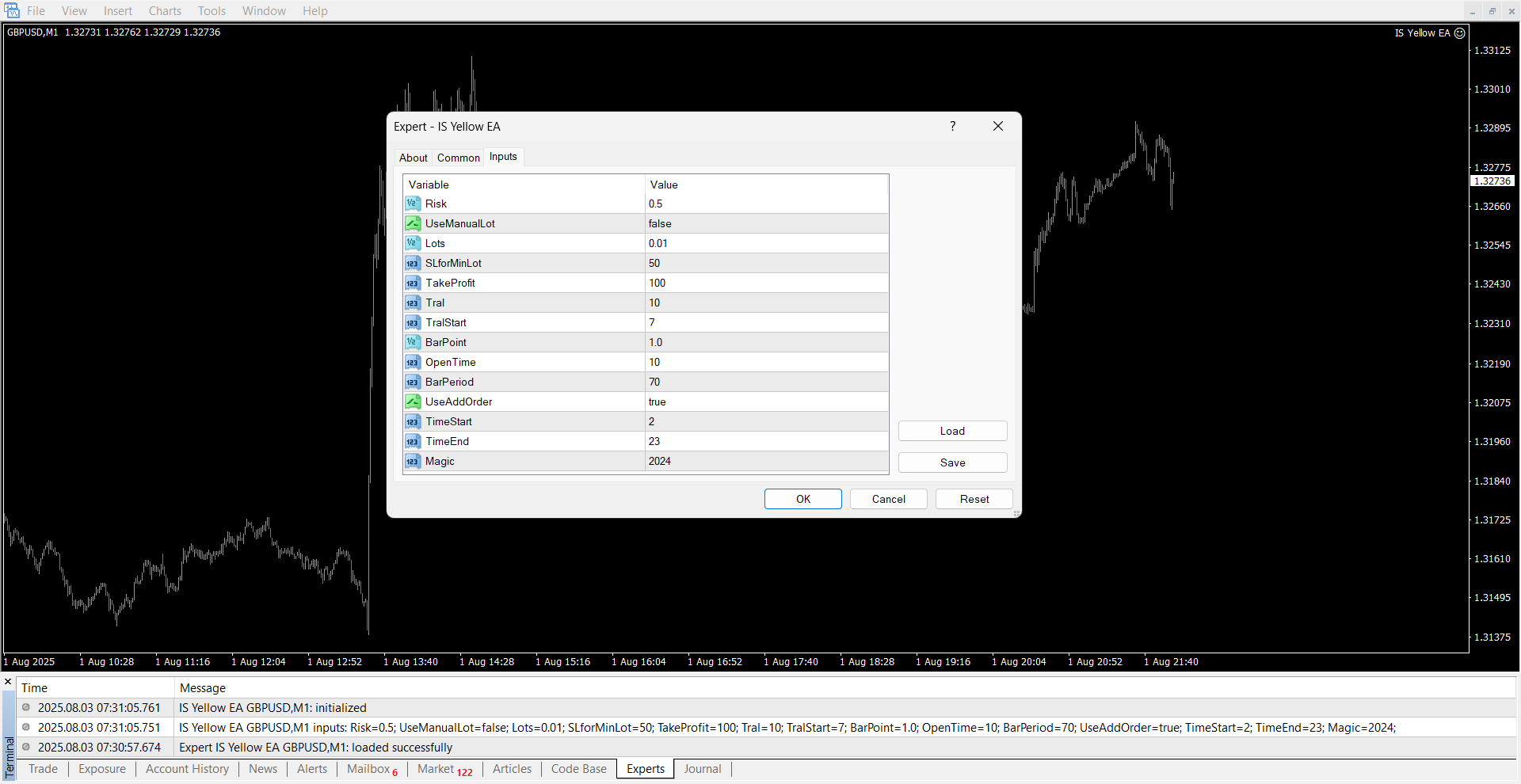
🔧 Installation Guide for Dual Hedge EA (M1)
Follow these steps to ensure correct setup and optimal performance of the Dual Hedge EA.
✅ Minimum Requirements
| Requirement | Details |
|---|---|
| Minimum Balance | $200 or more |
| Leverage | 1:200 minimum — Recommended: 1:500 |
| Account Type | ECN, Raw, Zero, or Pro only |
| Do Not Use | Standard or Classic accounts |
| Chart Timeframe | M1 (1-minute chart) |
⚙️ Installation Steps
-
Install MetaTrader 4 or 5 from your preferred broker (must support hedging and low spreads).
-
Load the EA onto a GBPUSD M1 chart only.
-
Attach the included
.setfile to configure the EA with optimal settings. -
Make sure AutoTrading is enabled and Live Trading is allowed in the EA settings.
-
Monitor performance for a few sessions on GBPUSD only.
-
Once confirmed stable, you may add additional GBP pairs (e.g., GBPAUD, GBPJPY, GBPCAD) using the same procedure.
⚠️ Important Notes
-
✅ Use only on low-spread accounts (ECN/Raw recommended).
-
❌ Do not run on Standard or Classic accounts due to high spreads and execution delay.
-
📈 M1 timeframe is highly sensitive — ensure stable internet and fast VPS if possible.
-
🔁 Only one installation per chart. Open separate charts for each GBP pair when expanding.
