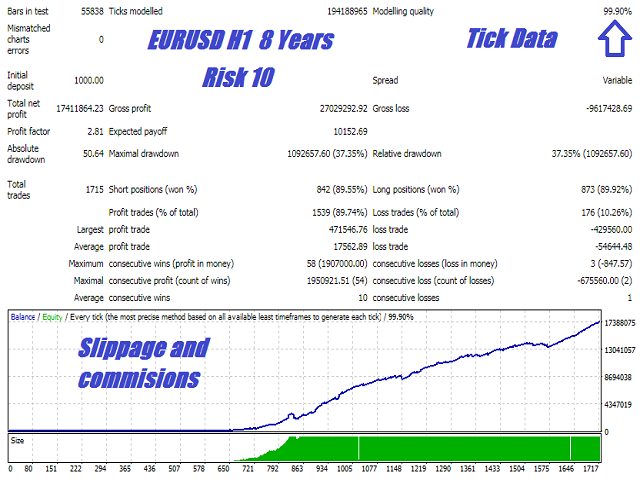
It works like a magic!
As a trader, I found this tool useful for spotting market trends and making informed decisions. The real-time data and clear chart patterns help identify potential trade opportunities.

INSTANT DOWNLOAD!
Original price: $1,299.00
Your price: $15.00 98% OFF Retail!
Content: Expert: Silicon Falcon2.1_fix.ex4 (Unlocked-Unlimited), Presets: SF EURUSD H1 RC1 Min Trade Spacing.set, SF EURUSD H1 RC1.set, SF USDJPY H1 RC1 No Hours.set, SF USDJPY H1 RC1.set, UserGuide: SiliconFalconUsersGuide.pdf.
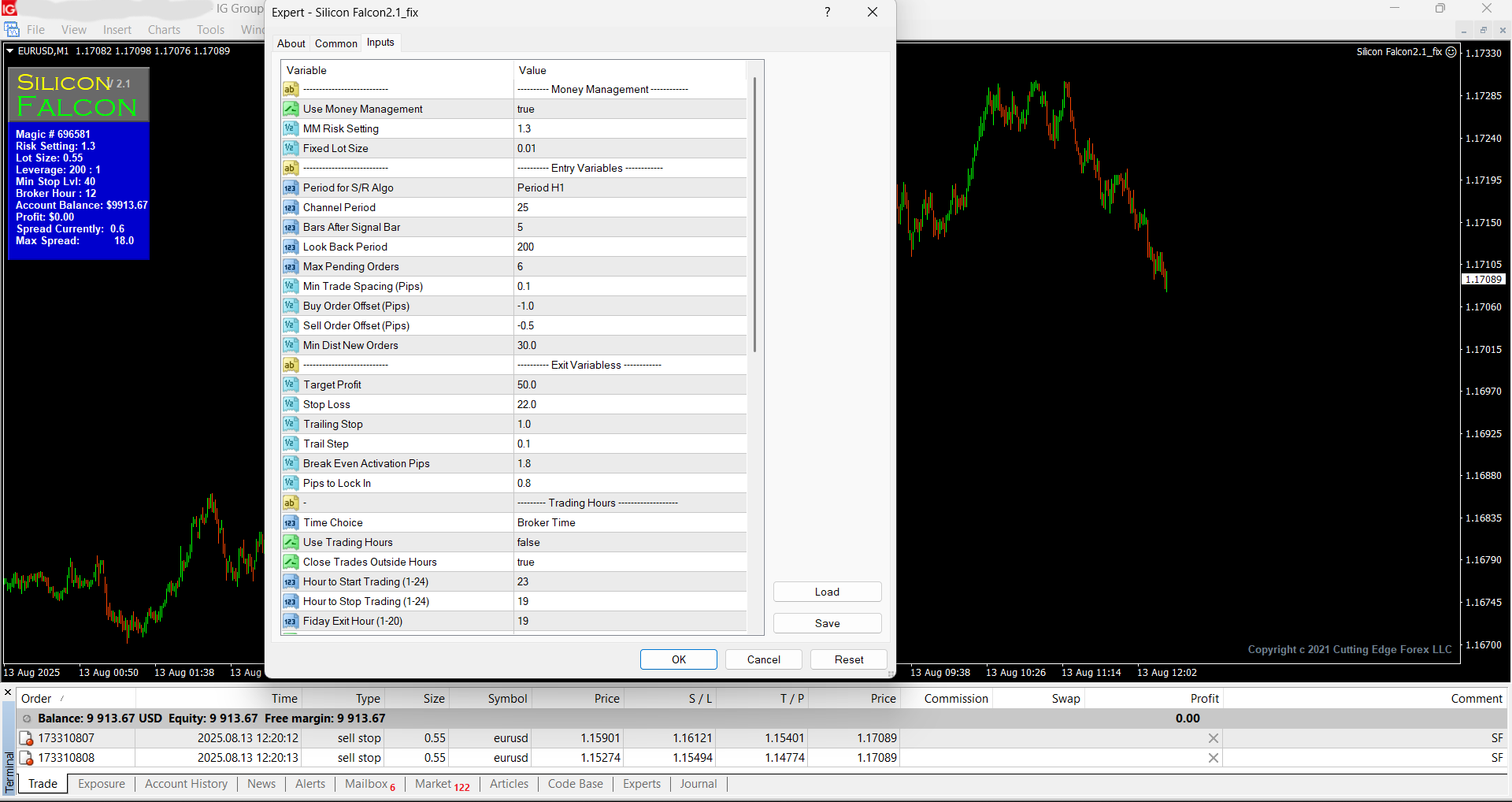
💡 Adaptive Forex Algorithm – Institutional-Grade Trading System
Experience the precision of Wall Street-caliber technology—now made available for retail traders.
🔍 Smarter Trading Starts Here
This Expert Advisor is powered by intelligent algorithms that dynamically adapt to the ever-evolving conditions of the forex market. Designed to operate with precision and resilience, it mirrors the same strategic backbone used by hedge funds and institutional desks.
🧠 Built with Institutional DNA
Originally developed in Node.js under contract for a hedge fund, this EA is an exact replica of the proprietary system deployed by top-tier banks and prop firms.
⚙️ Backtesting Instructions
To accurately backtest the system:
-
Use EURUSD on the H1 (1-hour) timeframe
-
Select “Every Tick” mode
-
Apply the current spread
-
Start the test and review results
This setup ensures you experience the EA’s full potential under realistic market conditions.
Optimized for EURUSD – But Flexible
While the system was meticulously engineered for EURUSD H1, it includes customizable settings to allow adaptation to other currency pairs for advanced users.
✅ Why Traders Trust This EA
-
🎯 Adaptive Intelligence: Reacts to real-time shifts in volatility and momentum
-
🧪 Proven Framework: Derived from real hedge fund systems
-
⚙️ Robust Backtesting: Built for accurate tick-by-tick simulation
-
🔒 Institutional Logic: Designed with capital preservation and long-term profitability in mind
Bring institutional power to your personal trading—automate smarter with this elite-grade forex algorithm.
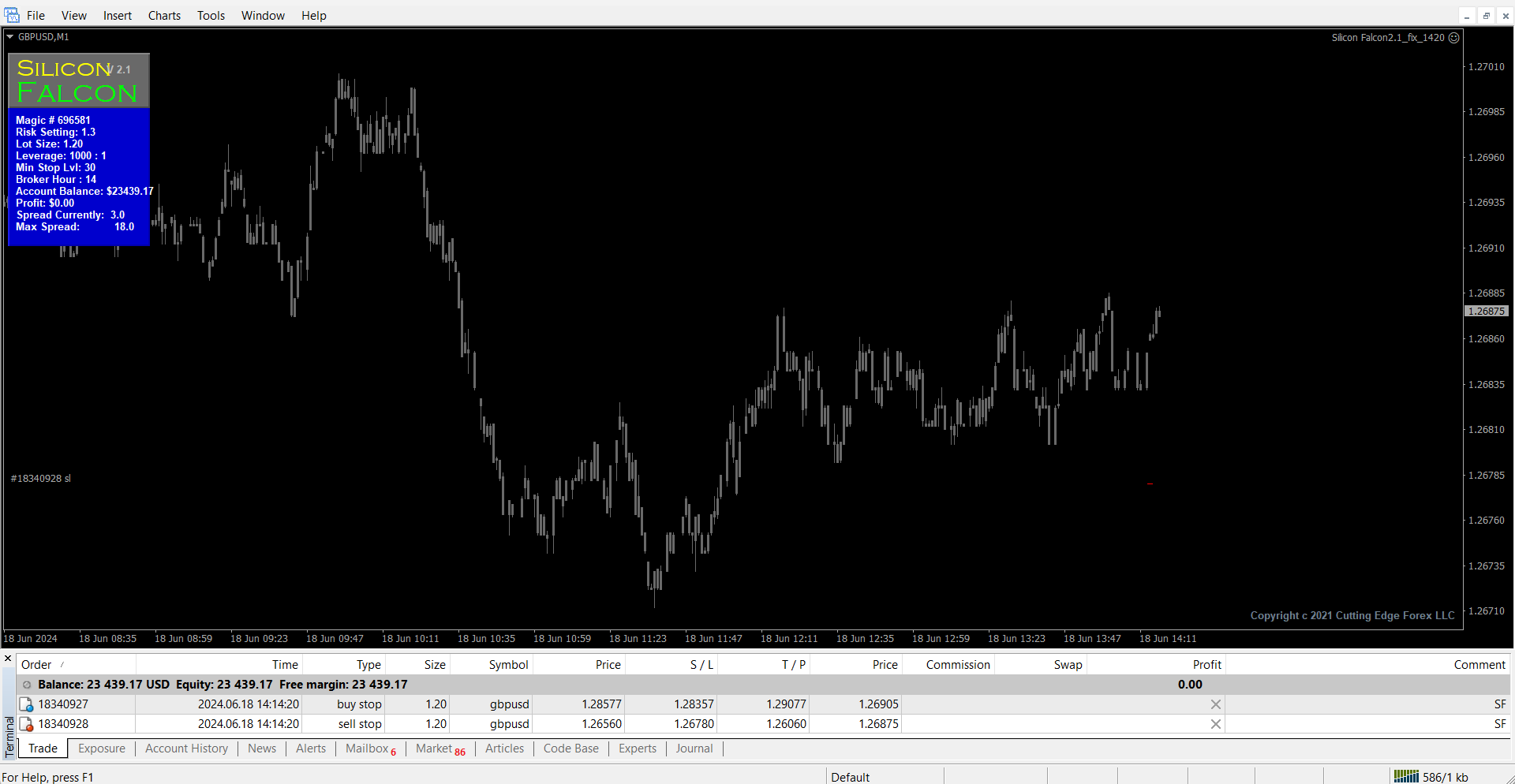
🔧 Apex EA – User Settings Overview
Take full control of the EA’s behavior with this extensive set of configuration options:
📊 Money Management
-
Use Money Management: Enable dynamic lot sizing based on risk (%).
-
MM Risk Setting: Risk percentage used when money management is active.
-
Lot Size: Fixed lot size (only used when money management is disabled).
🧠 Signal Logic & Entry Setup
-
Period for S/R Algo: Timeframe used for support/resistance-based entries.
-
Channel Period: Number of bars used to define the price channel.
-
Bars After Signal Bar: Delay (in bars) after a signal is detected before evaluating entry.
-
Look Back Period: Historical range (bars) to scan for scalping setups.
📈 Order Management
-
Max Pending Orders: Cap on total pending orders at any given time.
-
Min Trade Spacing: Minimum pip distance between open trades or new orders.
-
Buy Order Offset: Pips above channel high to place buy stop orders.
-
Sell Order Offset: Pips below channel low to place sell stop orders.
-
Min Dist New Orders: Minimum distance from market price to allow new entries.
🎯 Trade Management
-
Target Profit: Desired profit in pips per trade.
-
Stop Loss: Protective stop in pips.
-
Trailing Stop: Trailing stop size in pips.
-
Trail Step: Increment by which the trailing stop moves.
-
Break Even Activation Pips: Distance into profit to trigger breakeven logic.
-
Pips to Lock In: Pips locked in after breakeven is activated.
⏰ Time Settings
-
Time Choice: Select between GMT, Broker Time, or Local Time.
-
Use Trading Hours: Enable custom trading hours.
-
Close Trades Outside Hours: Exit trades when outside the defined trading window.
-
Hour to Start Trading: Start hour for trading (based on selected time type).
-
Hour to Stop Trading: Stop hour for trading (based on selected time type).
-
Friday Exit Hour: Cutoff time for trading on Friday (orders deleted).
-
Close Trades on Friday: Exit all open positions before the weekend.
🛡️ Rollover Protection
-
Use Rollover Protection: Enable protection around broker rollover (high spreads).
-
Rollover Hour: Broker’s rollover time (e.g., 0 for broker time, 22 for GMT+2).
-
Rollover Order Distance: Pips near current price to cancel during rollover.
-
Rollover Widen SL Pips: Pips added to widen SL temporarily during rollover.
📆 Day-Based Filters
-
Sunday – Friday: Enable/disable trading for each weekday.
-
Trade NFP Friday: Enable/disable trading on NFP Fridays.
-
Trade Thursday Before NFP: Enable/disable trading on the day before NFP.
-
Trade Christmas Break: Pause trading for the holidays.
-
Day to Begin Break: Day to pause trading in December (e.g., 15 = Dec 15).
-
Trade New Year Holiday: Enable/disable trading during New Year.
-
Day to Return After Break: Resume trading after January holiday (e.g., 3 = Jan 3).
🖥️ Interface & Display
-
Transparent Display: Show semi-transparent chart display panel.
-
Trade Comment: Custom comment added to each trade ticket for tracking.
🔐 Safety Settings
-
Max Spread: Maximum spread allowed for trade entry or maintenance.
-
Distance to Cancel: Delete pending orders if within this pip range when spread is high.
-
Max 1 Min Spike Size: Maximum allowed 1-minute spike; cancels orders if exceeded.
-
Time Out: Cooling-off period (in minutes) after large spread or spike is detected.
⚖️ Broker Compatibility
-
FIFO Friendly: Set
trueif using FIFO-compliant brokers (U.S. regulations). -
Magic Number: Unique ID for each EA instance; must differ for each pair/strategy.